
SolScanIndustrial 3D Camera
Industrial Automation Hardware
SolScan Product Description
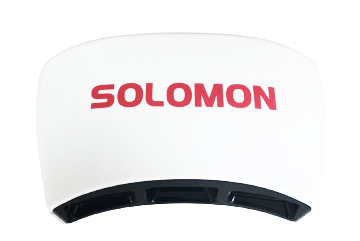
SolScan is an advanced industrial 3D camera meticulously engineered for AI and 3D vision projects. Leveraging structured light technology, SolScan offers exceptional versatility, making it a valuable tool for users looking to develop 3D vision applications.
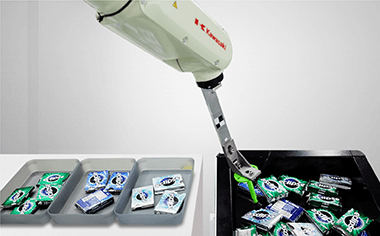
Deploying SolScan opens up a wide range of possibilities, including object recognition and classification, precise measurements, bin picking, robot guiding, accurate object scanning, and 3D modeling for virtual reality and augmented reality.
What sets SolScan apart from other industrial 3D cameras is its outstanding performance and customization options. With SolScan users have the flexibility to tailor 3D applications to their specific requirements, making SolScan the ideal choice for systems integrators, machine builders, and end-users alike.
SolScan Features
Fast Scanning
SolScan utilizes a six-axis configuration (x, y, z, Rx, Ry, Rz) to swiftly complete the scanning process in approximately 1.5 seconds, resulting in the production of precise and high-quality point clouds.
Color Function
SolScan is equipped with high-quality RGB cameras that enable it to develop essential applications for effectively handling color differentiations.
ROS Compatible
The resulting point clouds are sent to a Robot Operating System (ROS) for application development within the system.
Dual Camera
Two integrated built-in 2D cameras are continuously monitoring for any potential errors caused by overlapping objects.
User-Friendly GUI
SolScan has a user-friendly GUI, streamlining the point cloud export process for enhanced simplicity.
GenICam 3D Interface
SolScan supports the GenICam 3D interface, effectively simplifying user tasks on 3D software platforms like Halcon, Common Vision Blox (CVB), and other compatible applications.
SolScan Applications
Object Recognition and Classification
Measurement
Bin Picking
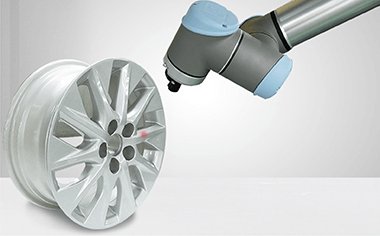
Robot Guiding
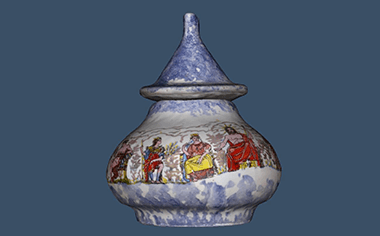
Object Scanning
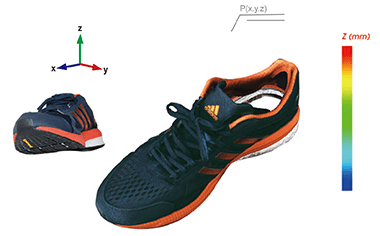
VR/AR 3D Modeling
SolScan Videos
Object Scanning and Measurement
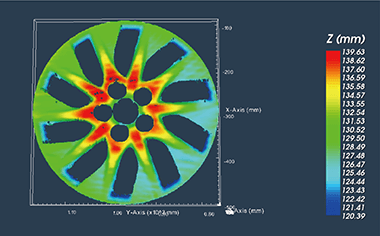
SolScan quickly and accurately captures images of the shoe and stitches the images together to create a 3D model. The resulting point cloud can be used to measure any dimensions or point-to-point distances on the scanned object.
3D Modeling
SolScan is capable of rendering 3D images with high precision. In this video, a selection of objects and artifacts were placed on a rotating pad and then scanned using SolScan. The point cloud from multiple images provided a highly accurate measurement (close to 0.1mm), resulting in a clear 3D image of each scanned object.
Bin Picking
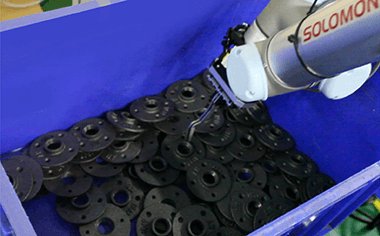
SolScan’s 3D scanning technology captures detailed information, and AccuPick 3D’s intelligent algorithms analyze the data for precise localization and reliable object recognition.
FAQ
Common Questions About SolScan
Answers about 3D vision, object recognition, robotic applications, and system integration.
What Should System Integrators Look for in a 3D Vision Camera for Robotic Picking?
System integrators should evaluate an Industrial 3D Camera based on its ability to capture challenging objects, recognize different parts, and provide accurate 3D positioning data. Important considerations include imaging performance, AI capabilities, integration requirements, and adaptability to new products. SolScan combines 3D imaging with AI-powered recognition and pose estimation, providing the vision information developers need to build their own Robot Guidance System.
Can 3D Vision Cameras Recognize Transparent, Reflective, and Dark Objects?
Yes, although performance depends on the material, surface characteristics, and operating conditions. SolScan combines 3D imaging with AI recognition to support objects that conventional vision systems can struggle to detect, including textured transparent materials, reflective metal, and dark surfaces. These capabilities can support applications such as Transparent Object Bin Picking and Reflective Metal Bin Picking, subject to evaluation with representative objects.
How Can System Integrators Recognize New Parts Without CAD Models?
SolScan uses one-shot and few-shot learning to recognize new objects from one or a few reference images, reducing the need for large training datasets. Its CAD-free 6D pose estimation also helps determine an object’s position and orientation without requiring a CAD model. These capabilities allow integrators to introduce new parts more efficiently, although training requirements and positioning accuracy depend on the application.
How Can Robots Automatically Pick Randomly Stacked or Overlapping Parts?
3D Bin Picking applications use 3D vision to identify individual objects and determine their positions and orientations, even when parts are randomly arranged or closely packed. SolScan provides object recognition, instance segmentation, and 6D pose estimation to help locate individual items. System integrators use this information with separate grasp planning, motion control, and robotic equipment to perform automated picking.
How Can Robots Automate Picking and Handling of Different Parts?
Vision Guided Robotics enables automated systems to identify and locate different parts without requiring every object to arrive in a fixed position. SolScan uses AI-based 3D Object Recognition and rapid learning to support changing product mixes, allowing new items to be introduced with limited reference images. Integrators use its vision outputs to develop the robotic handling, grasping, and placement operations required for their applications.